Sneaky Patch TryHackMe Walkthrough
Sneaky Patch - TryHackMe Walkthrough
Overview
Difficulty: Easy
Platform: TryHackMe
Focus: Forensics, Kernel, Backdoor, Ubuntu
Investigate the potential kernel backdoor implanted within the compromised system.
Initial Log Triage
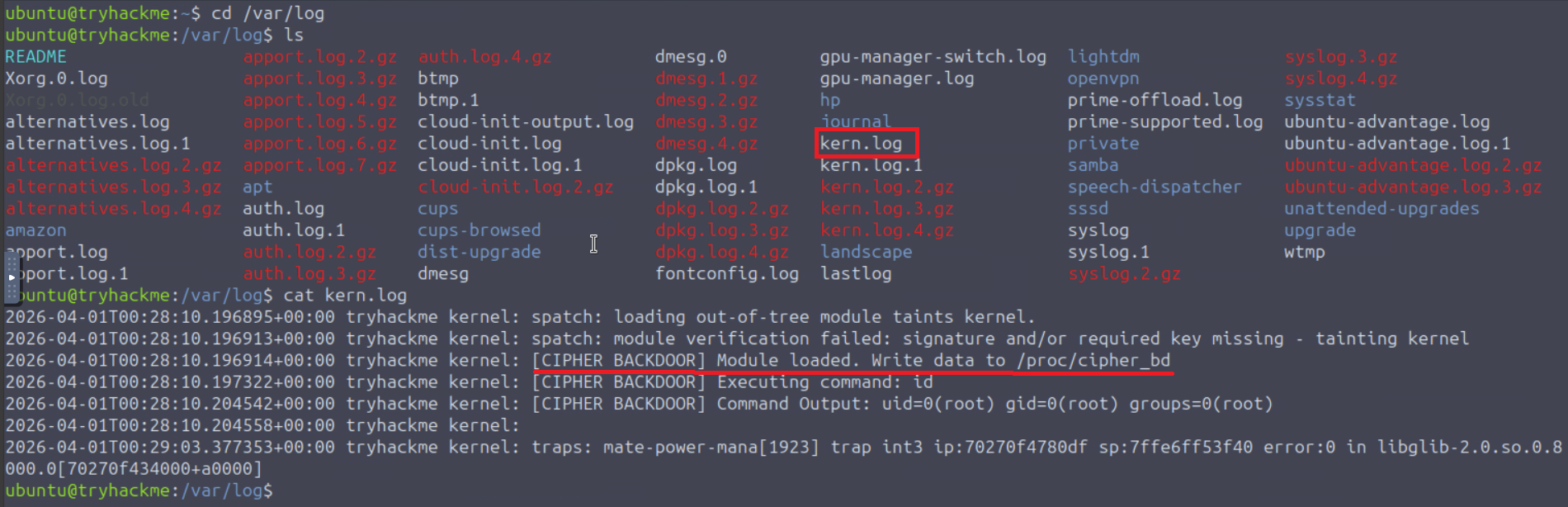
Know this is a kernel backdoor that tells us to immediately check out the logs and see what is visible.
1
2
3
4
5
6
7
8
9
ubuntu@tryhackme:~$ cd /var/log
ubuntu@tryhackme:/var/log$ cat kern.log
2026-04-01T01:02:40.493798+00:00 tryhackme kernel: spatch: loading out-of-tree module taints kernel.
2026-04-01T01:02:40.493829+00:00 tryhackme kernel: spatch: module verification failed: signature and/or required key missing - tainting kernel
2026-04-01T01:02:40.493831+00:00 tryhackme kernel: [CIPHER BACKDOOR] Module loaded. Write data to /proc/cipher_bd
2026-04-01T01:02:40.495267+00:00 tryhackme kernel: [CIPHER BACKDOOR] Executing command: id
2026-04-01T01:02:40.499774+00:00 tryhackme kernel: [CIPHER BACKDOOR] Command Output: uid=0(root) gid=0(root) groups=0(root)
2026-04-01T01:02:40.499787+00:00 tryhackme kernel:
2026-04-01T01:03:19.988772+00:00 tryhackme kernel: traps: mate-power-mana[1908] trap int3 ip:7543966860df sp:7ffefb6ae6d0 error:0 in libglib-2.0.so.0.8000.0[754396642000+a0000]
Based on the output from reviewing kern.log, we can see where it says write data to /proc/cipher_bd
Enumerating Loaded Kernel Modules
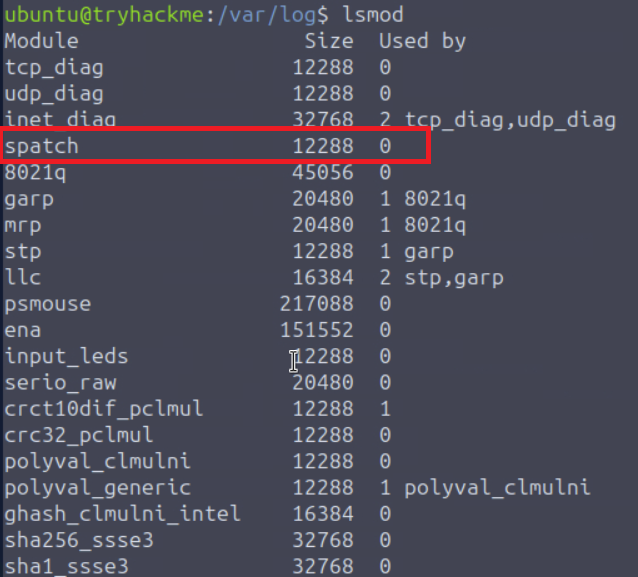
The next action we can take is to use lsmod to list loaded modules hoping to find what doesn’t belong…
1
2
3
4
5
6
7
8
9
10
11
12
13
14
15
16
17
18
19
20
21
22
23
24
25
26
27
28
29
30
31
32
33
34
35
ubuntu@tryhackme:/var/log$ lsmod
Module                  Size  Used by
spatch                 12288  0
8021q                  45056  0
garp                   20480  1 8021q
mrp                    20480  1 8021q
stp                    12288  1 garp
llc                    16384  2 stp,garp
ena                   151552  0
psmouse               217088  0
input_leds             12288  0
serio_raw              20480  0
crct10dif_pclmul       12288  1
crc32_pclmul           12288  0
polyval_clmulni        12288  0
polyval_generic        12288  1 polyval_clmulni
ghash_clmulni_intel    16384  0
sha256_ssse3           32768  0
sha1_ssse3             32768  0
aesni_intel           356352  0
crypto_simd            16384  1 aesni_intel
cryptd                 24576  2 crypto_simd,ghash_clmulni_intel
binfmt_misc            24576  1
sch_fq_codel           24576  3
msr                    12288  0
parport_pc             53248  0
ppdev                  24576  0
lp                     32768  0
parport                73728  3 parport_pc,lp,ppdev
dm_multipath           45056  0
efi_pstore             12288  0
nfnetlink              20480  2
ip_tables              32768  0
x_tables               65536  1 ip_tables
autofs4                57344  2
spatch is what stands out here. There is no shame in using every tool at your disposal as long as it gets you on track. When you’re in Linux enough you will catch on to what should or shouldn’t be in the system.
An example of thinking outside the box or following the common trend these days is to simply dump the output into AI and simply ask what stands out as abnormal.
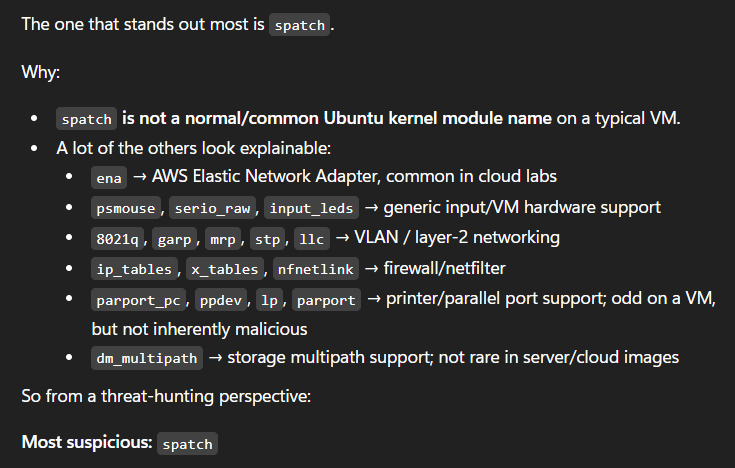
When speed is your friend, AI can be extremely useful as a tool. Just remember to always screen the output and smoke check for hallucination.
Investigating the Suspicious Module
A useful command in Linux is modinfo. It simply extracts information from modules available in the system and gives us properties, dependencies, parameters, etc. Run it with sudo
1
2
3
4
5
6
7
8
9
10
ubuntu@tryhackme:/var/log$ sudo /sbin/modinfo spatch
filename:       /lib/modules/6.8.0-1016-aws/kernel/drivers/misc/spatch.ko
description:    Cipher is always root
author:         Cipher
license:        GPL
srcversion:     81BE8A2753A1D8A9F28E91E
depends:
retpoline:      Y
name:           spatch
vermagic:       6.8.0-1016-aws SMP mod_unload modversions
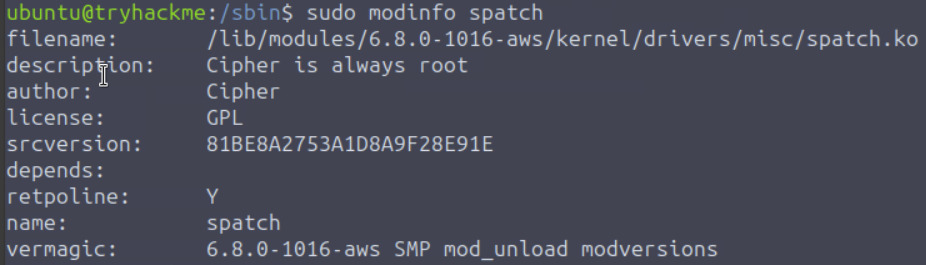
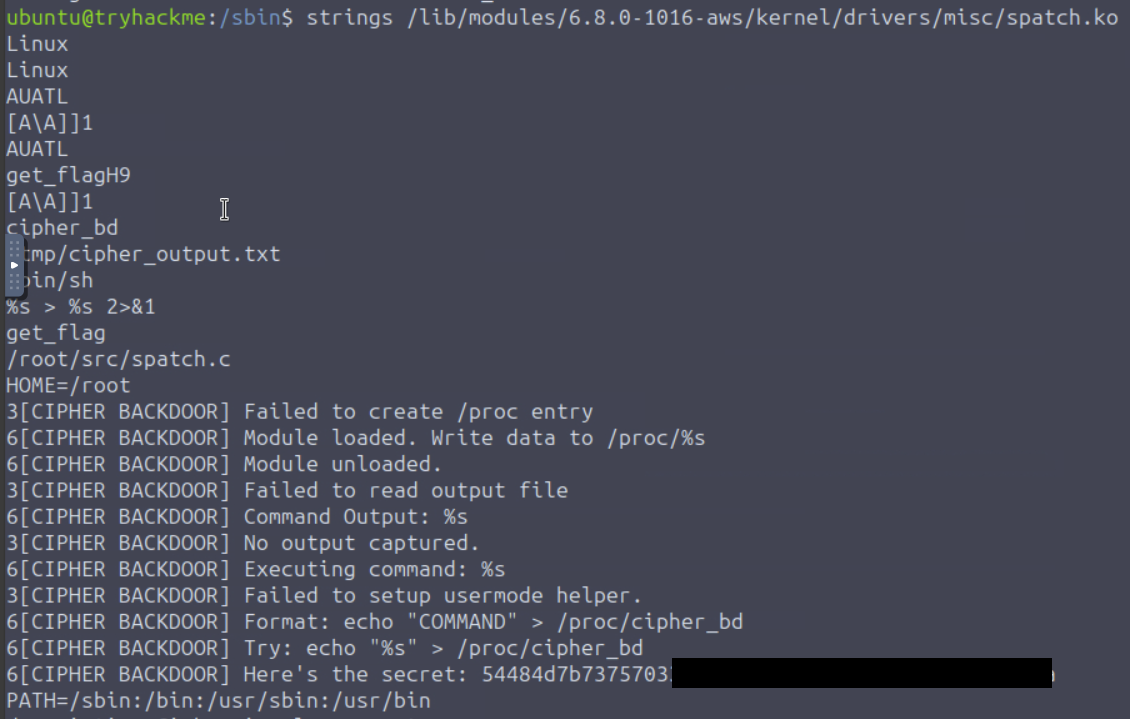
With the modinfo output we can see the filename and full path which we will need to analyze to see what spatch.ko does. Running strings on it provides a lengthly output that I will spare you from so make use of grep and head -n {value} to better view the output. You can also drop the output into a .txt file for better readability.
1
strings /lib/modules/6.8.0-1016-aws/kernel/drivers/misc/spatch.ko > spatch_analysis.txt
Since I took some time to comb throught the output I also recommend using head to view the top 20 lines which is where you will find exactly what is needed to complete this challenge.
1
strings /lib/modules/6.8.0-1016-aws/kernel/drivers/misc/spatch.ko | head -n 25
Decoding the Extracted Secret
With the secret I used cyberchef to reveal it: CyberChef
The best first move with anything not quite easy to determine is to simply use Magic in the recipe first.
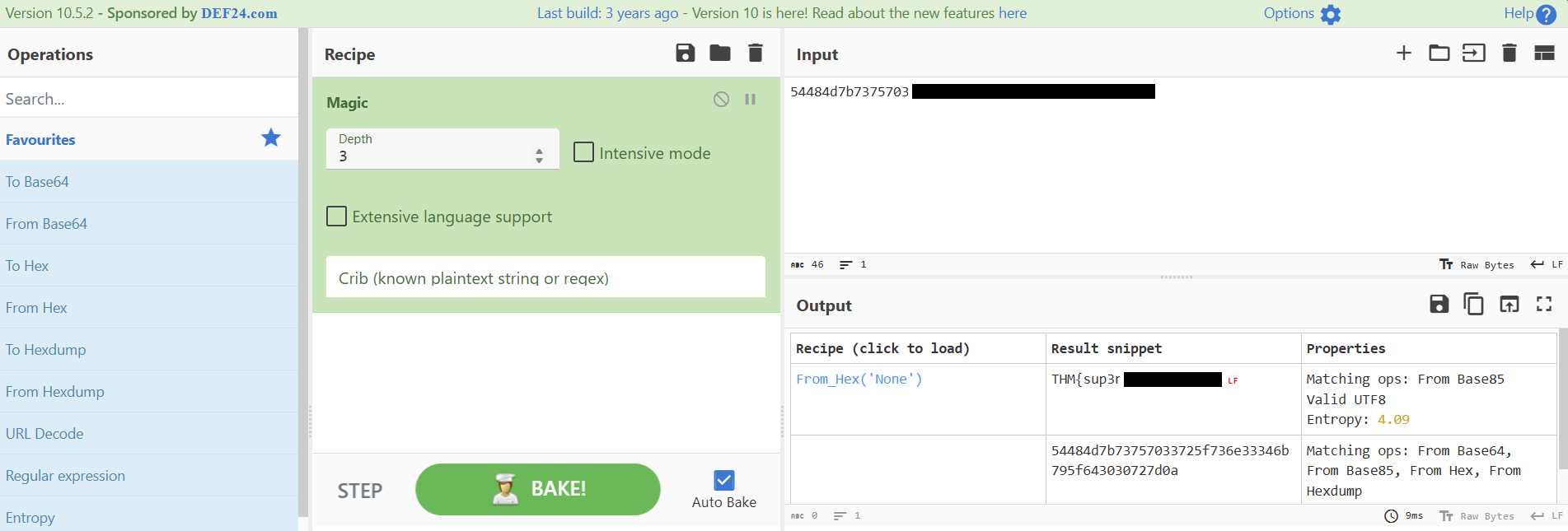
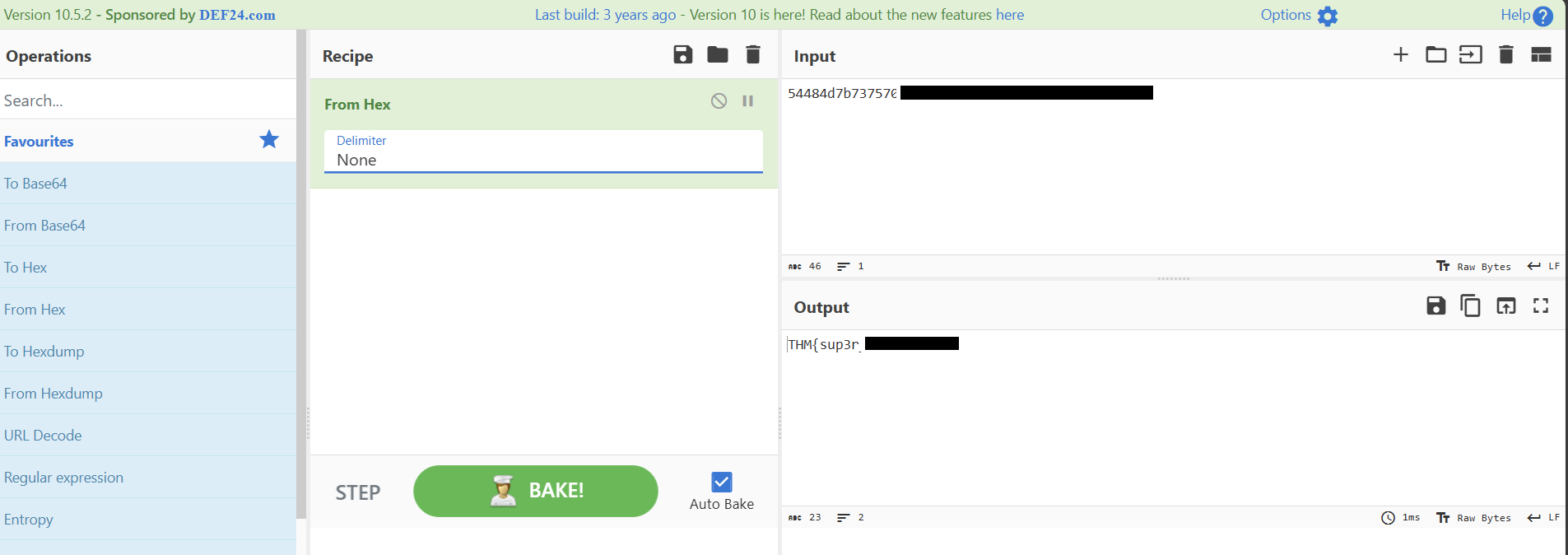
From that, we can already see the secret revealed but for learning purposes, slap from hex in the recipe field, add none as the Delimiter.
Key Takeaways
- Start with
kern.logwhen a kernel compromise is suspected, because it can expose direct attacker workflow clues. - Use
lsmodto quickly identify modules that look out of place for the host role. - Validate suspicious modules with
modinfoto collect path, metadata, and author clues before deeper analysis. - Run
stringson.kofiles and narrow output withhead/grepto surface indicators quickly. - Use CyberChef for fast decoding, but always validate each transform to avoid false assumptions.
Room Complete!
Disclaimer: This walkthrough is for educational purposes only. Always obtain proper authorization before testing any system.